Official model guide and generator
01
Nano Banana concept directions
Nano Banana works well for early visual direction because it supports quick image-to-image changes, playful transformations, product background swaps, and reference-guided creator assets.
Fast Nano Banana generation and editing for social visuals, references, and playful image drafts.

Use Nano Banana when you want expressive image edits, social assets, product experiments, or reference-guided variations without overbuilding the prompt.
Use Nano Banana when you need fast Gemini image edits and social-ready variations. Begin with the edit you actually need: remove a messy background, restyle a product, make a social post, or explore a character variation.
Before generating, upload the clearest reference first, then name the object, mood, target channel, and any details that must not drift.
use smaller prompt changes to test composition, color, and style before asking for a broader transformation.
After generation, check identity, product shape, crop, and whether the result feels ready for a fast campaign draft.

Google describes the original Nano Banana as a fast and fun editing option, while Nano Banana Pro adds more complex composition, higher fidelity, text, and advanced controls. This page uses the faster Nano Banana position for everyday image generation and edits.
Google Nano Banana Pro announcementNano Banana is described around quick image-to-image changes, playful transformations, product background swaps, and reference-guided creator assets, so the workflow stays close to what the model is built to do.
The workspace asks you to upload the clearest reference first, then name the object, mood, target channel, and any details that must not drift.
Use Nano Banana with a clear review pass: check identity, product shape, crop, and whether the result feels ready for a fast campaign draft.
Nano Banana works well for early visual direction because it supports quick image-to-image changes, playful transformations, product background swaps, and reference-guided creator assets.

For client or team review, use smaller prompt changes to test composition, color, and style before asking for a broader transformation, then use the result as a clearer brief for final polishing.
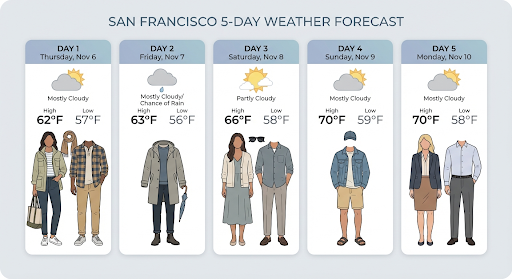
Teams can reuse the same prompt structure by keeping the model focus visible: fast Gemini image edits and social-ready variations.
Bring your prompt, choose the controls supported by Nano Banana, and use the workspace above to prepare a model-specific image generation brief.
Try Nano Banana